What Is a URL? A Simple Guide to Web Addresses
Every time you open a website, tap a search result, or paste a link into a message, you are using a URL. URLs are the addresses that let browsers find web pages, images, videos, and files anywhere on the internet. They matter when you visit a site, share a picture with a friend, or embed an image in a blog post. This guide explains what a URL is, how it is put together, and what it has to do with image links.
What Does URL Stand For?
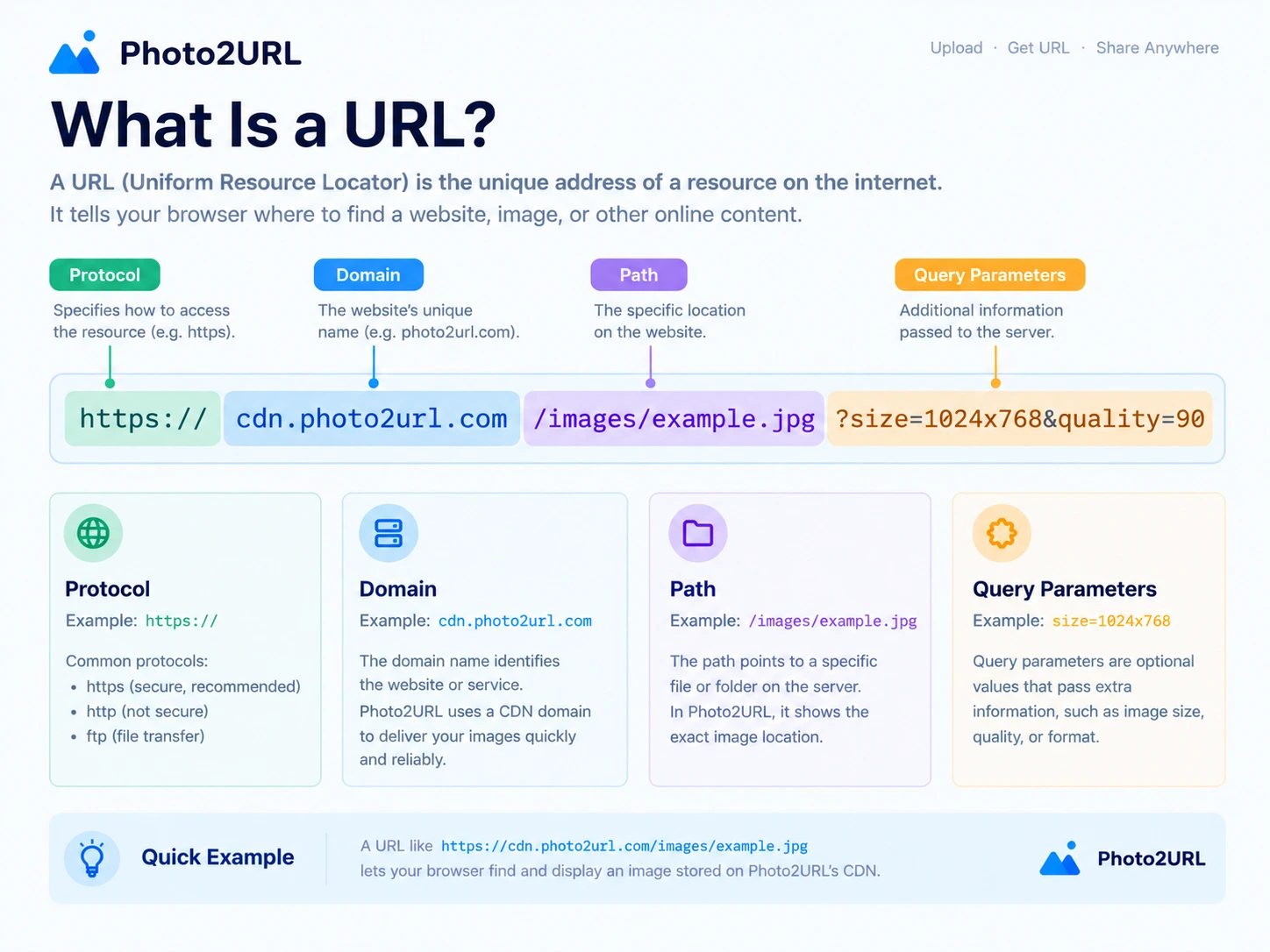
URL stands for Uniform Resource Locator. In plain language, it is a standardized way to write down the location of something on the internet — a web page, an image, a document, or any other resource — so that a browser or app can find it.
Each part of the name describes what a URL does. Uniform means every URL follows the same basic rules, so software anywhere in the world knows how to read one. Resource is the thing being located. Locator means the address tells you where that thing lives. You will also hear URLs called web addresses or, less precisely, links.
What Is a URL? An Example
Take https://photo2url.com/image-to-url as an example. This is a complete URL that points to a specific page: the image-to-URL tool on the photo2url website. When you type it into a browser's address bar or tap it, the browser asks the server at photo2url.com for that page and then displays the result.
The same address can also be written as a clickable image to URL converter, where the visible words hide the underlying address.
What Are the Parts of a URL?
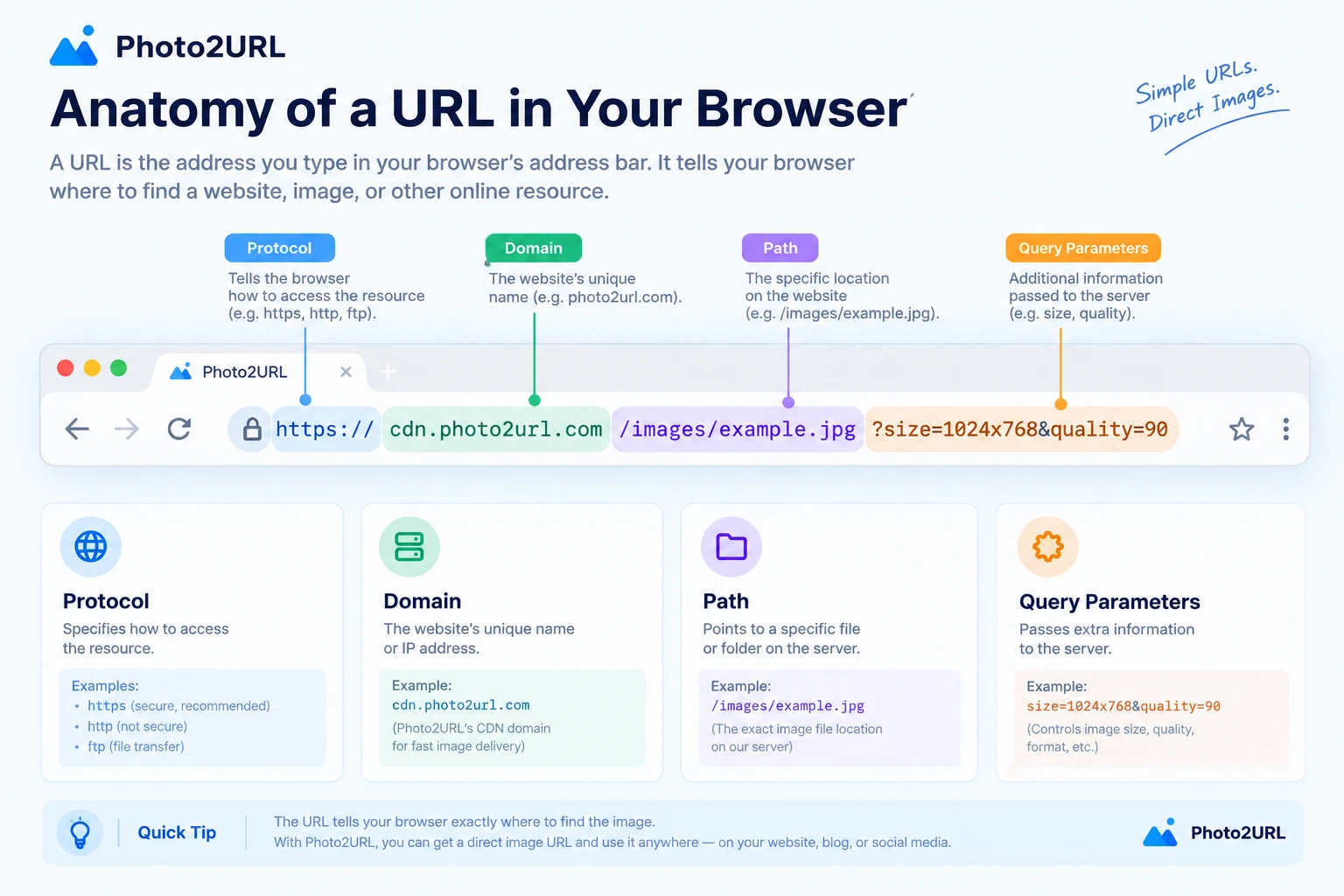
Most URLs are made from a few common pieces. Using the example above, they break down like this:
- Scheme — the
https://part at the start. It tells the browser how to fetch the resource.httpsis the secure version ofhttp. - Domain name —
photo2url.com. The human-readable name that identifies which server to contact. - Path —
/image-to-url. The part after the domain that points to a specific page or file on that server.
Two optional pieces can also appear. Query parameters start with a ? and pass extra information such as search terms or settings. A fragment starts with a # and jumps to a specific spot on a page.
What Is the Difference Between a URL and a Link?
A URL is the address itself — the text that starts with https://. A link (or hyperlink) is the clickable thing on a page that carries that address: the underlined word, button, or image you click to go somewhere. Clicking a link tells the browser to visit the URL stored inside it.
For example, this is a link: turn a photo into a URL with photo2url. The URL behind it is https://photo2url.com/image-to-url. In short, the link is the doorway, and the URL is the address behind it.
How Are Images Identified by URLs?
A URL can point to an image file rather than to a web page. That kind of address is often called an image URL or a direct image URL. It returns image data that can be displayed on its own or embedded in another page.
How Do You Get a URL for an Image?
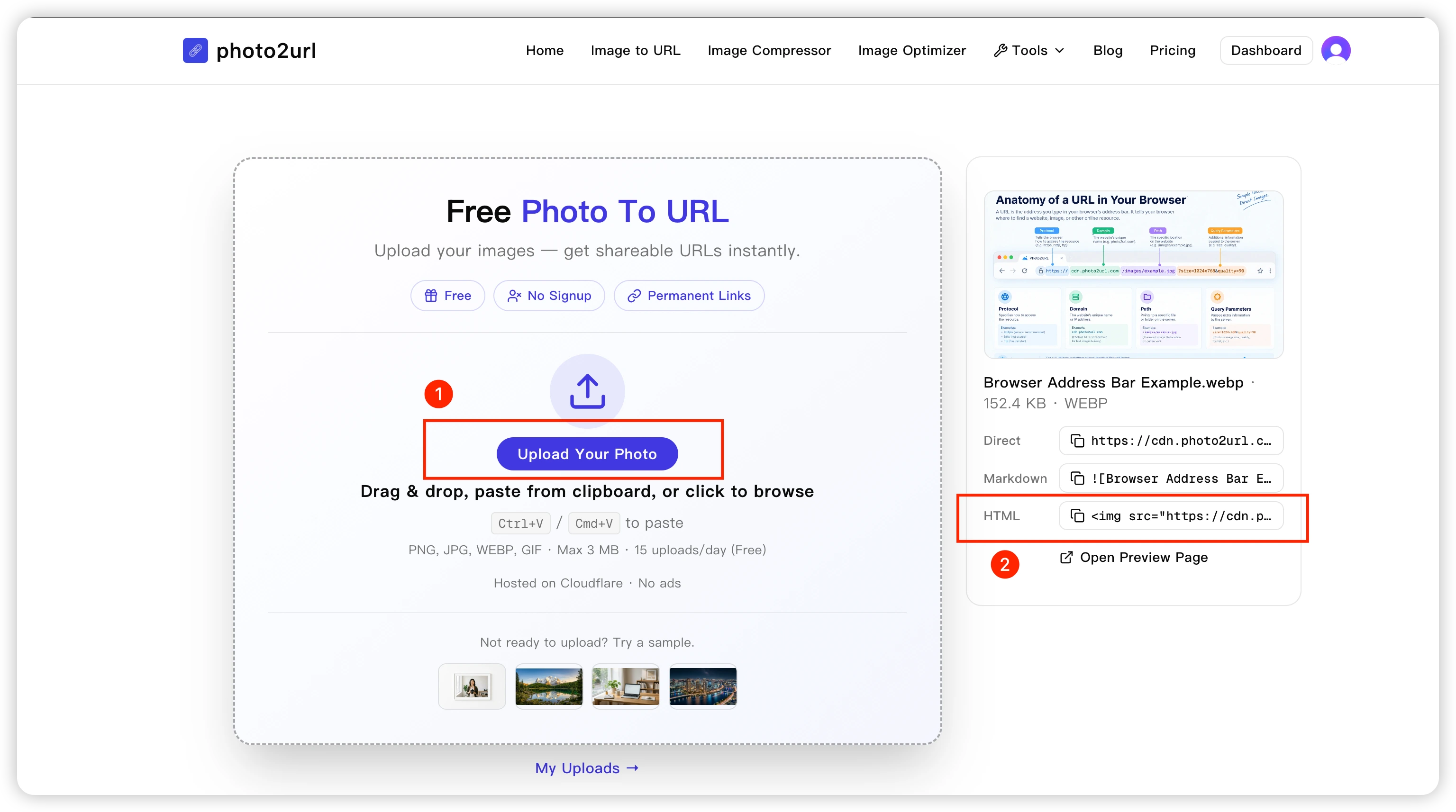
An image that lives only on your computer's hard drive does not have a public URL. To give it one, you first upload it to a server or an image-hosting service, which makes it reachable on the internet and hands you back a direct URL. Once you have that URL, anyone can open the image in a browser, and you can paste it into a webpage, a Markdown file, or a message.
That is exactly what photo2url does: you upload or paste an image, and it returns a shareable direct URL together with copy-ready Markdown and HTML snippets. A local image becomes a public one in a few seconds.
Frequently Asked Questions
Is a URL the same as a website?
No. A website is the whole collection of pages and content, while a URL is the address of one specific page or file within it. One website can have many URLs.
Can an image have its own URL?
Yes. Any image stored on an accessible server has its own URL that points directly to the image file, separate from the page that displays it.
Does every URL end in .com?
No. URLs can end in many top-level domains, such as .org, .net, and .io, or in country-code endings like .co.uk. They can also end in a file extension or a path with no obvious ending at all.
Can I create a URL for an image on my computer?
Not directly. A file on your own computer is not reachable from the internet. You first need to upload it to an image-hosting service or a server, which then gives you a public URL you can share.
Conclusion
A URL is simply an address for something on the internet. Whether you are visiting a website, sharing a picture, or embedding an image in a page, the URL is what makes it findable. Once you recognize the scheme, domain name, and path, web addresses stop looking like gibberish and start looking like directions.
The next time you need to put an image online, upload it to photo2url and get a direct, shareable URL in seconds.
Need a URL for one of your images?
Upload or paste an image and photo2url instantly returns a direct URL with copy-ready Markdown and HTML — no setup required.